Offline backpack ops
Run a full Common Operating Picture (COP) with no internet access. AryaOS carries the sensors, network, and map in one box. Power it from a battery and connect a phone over Wi-Fi or Bluetooth.
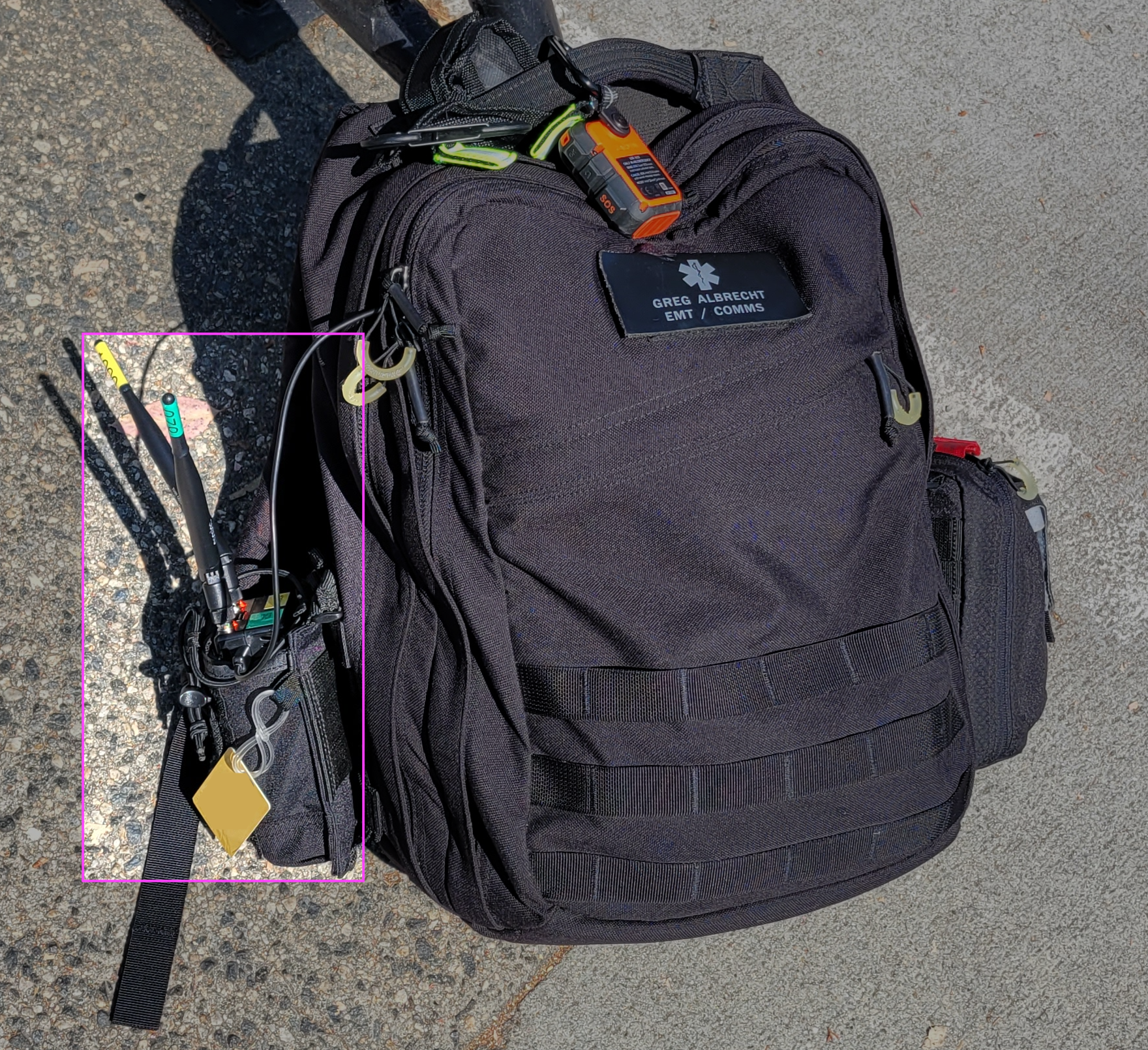
This is the original AirTAK concept of operations. Put a gateway and portable USB battery in a backpack, then pair an ATAK phone with it. You do not need LTE or Wi-Fi infrastructure.
Proven in the field
In this configuration - a Samsung Galaxy S20 running ATAK paired to a backpack AirTAK on a USB battery, with no outside connectivity. A 55-mile aircraft-detection range was achieved on a clear June day in San Diego. See the Introduction.
The disconnected CONOP
flowchart LR
    subgraph Backpack
      BAT[USB battery] --> BOX[AryaOS box<br/>sensors + COTBridge]
    end
    BOX -->|Wi-Fi hotspot AryaOS-xxxx| PHONE[ATAK phone]
    BOX -.->|Bluetooth PAN 10.44.0.1| PHONE2[iTAK / WinTAK]
    BOX -->|Mesh SA 239.2.3.1:6969| PHONE
Everything happens on the box: sensors decode locally, COTBridge multicasts the picture over Mesh SA. Your EUD joins over Wi-Fi or Bluetooth. Nothing leaves the backpack.
Connect over the Wi-Fi hotspot

AryaOS runs a comitup onboarding hotspot on wlan0:
| Property | Value |
|---|---|
| SSID | AryaOS-xxxx (the 4-hex device suffix) |
| Security | Open by default - set WPA2 from the console (below) |
| Gateway IP | 10.41.0.1 |
| Console | https://aryaos.local or https://10.41.0.1 |
- Power the box (on kitted units, match the color-coded connectors: yellow to yellow, black to black).
- Wait about two minutes for
AryaOS-xxxxto appear, then join it. - Open ATAK/WinTAK/iTAK - Mesh SA tracks arrive automatically.
Lock the hotspot before you deploy
The onboarding hotspot is open by default. Set a WPA2 passphrase (8-63 characters) in the Onboarding hotspot password card in Cockpit > AryaOS Site before operating anywhere the SSID can be reached by others.
Connect over Bluetooth PAN
If you do not want Wi-Fi, pair a phone over Bluetooth. This choice can save the radio for sensors or reduce RF. AryaOS acts as a Bluetooth Network Access Point (NAP):
| Property | Value | Source key |
|---|---|---|
| Bridge | pan0 |
BT_PAN_BRIDGE |
| Box IP | 10.44.0.1/24 |
BT_PAN_ADDRESS / BT_PAN_PREFIX |
| DHCP pool for phones | 10.44.0.20-10.44.0.60, 12h lease |
BT_PAN_DHCP_START / _END / _LEASE |
| Enabled | yes (BT_PAN_ENABLED=1) |
- |
AryaOS serves DHCP to the paired phone over the PAN link. There is no NAT or forwarding. Bluetooth PAN is only for reaching AryaOS services (the console, Mesh SA), not internet sharing. Once paired, browse to https://10.44.0.1 and TAK reaches the box over Bluetooth. See Bluetooth PAN for pairing steps.
BLE advertising limitation
Bluetooth PAN (Classic) pairing works for phone-to-box networking. Note that BLE advertising is a separate function and is not the transport used here.
Battery & power
- Any quality USB power bank runs the box. Use one sized for your mission duration and the number of active SDRs.
- Multiple SDRs on the USB bus draw meaningful current - size the battery and cabling accordingly (see Multi-sensor resource notes).
- Keep the power connector fully seated. brownouts during radio ingest cause dropouts. When in doubt, reboot.
Sharing position offline
Even fully disconnected, the box beacons its own GPS to the map and can feed a phone with no receiver of its own. See Own position / GPS. This keeps every node visible on the local COP without any network backhaul.
When connectivity returns
If you later reach a LAN, MANET. Alternatively, TAK Server, you can onboard the box onto that network. Forward the picture upstream without losing the local Mesh SA picture:
- Join an existing network via the onboarding portal or Ethernet - see Counter-UAS CONOP modes and the Networking pages.
- Forward to a server with Connect a TAK Server.